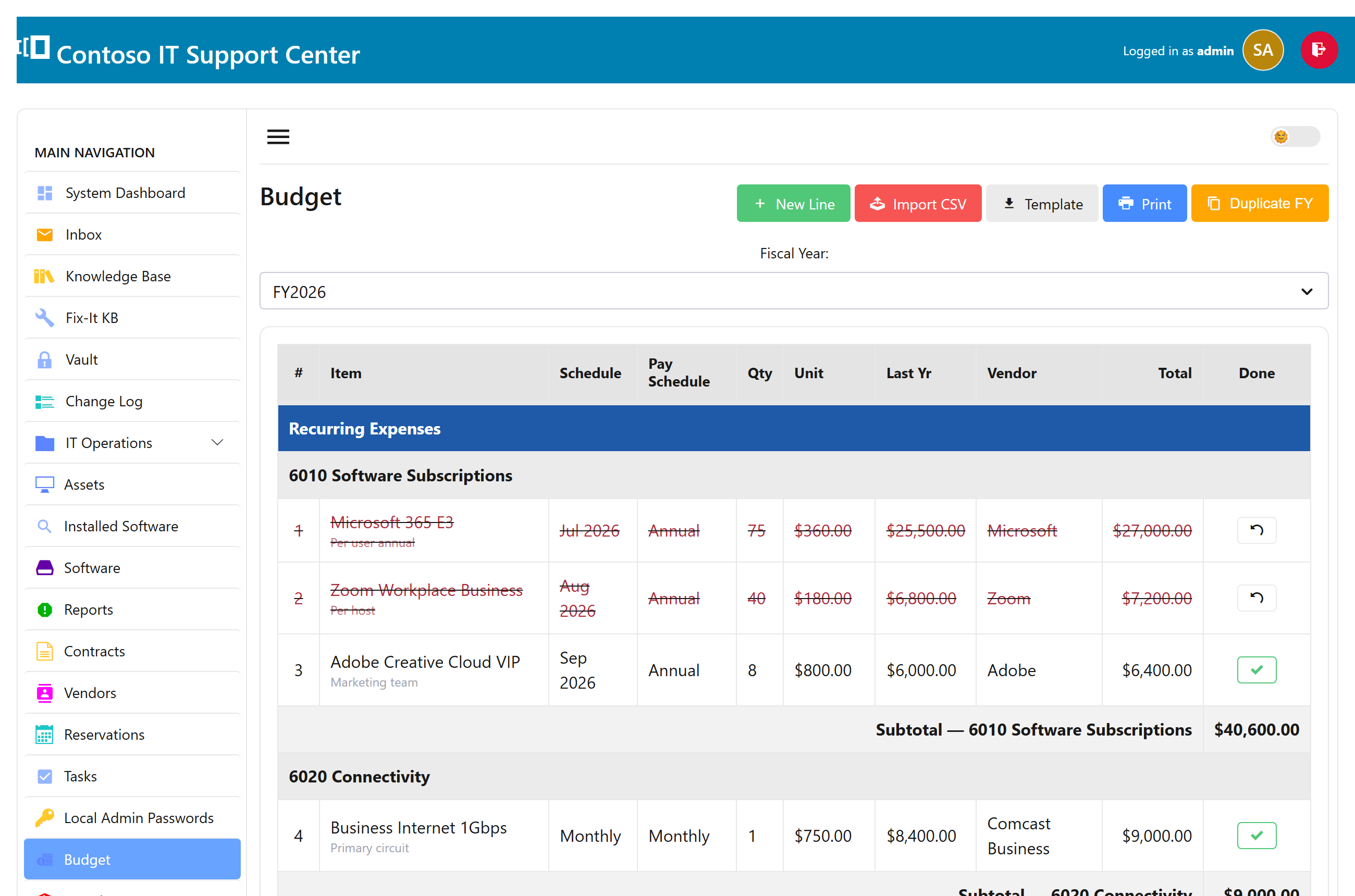
The budget register
Plan your IT spend by fiscal year. Each budget line is something you expect to buy or renew — a software subscription, a batch of laptops, a support contract — with a unit cost, a quantity, a total, last year’s figure for comparison, a vendor, and notes. Budgeting is part of the paid editions.
Add budget lines
- Open Budget and choose the fiscal year.
- Add a line: the item, a vendor (from the dropdown, or add one inline), the unit cost and quantity — the total is worked out for you.
- Save. Totals for the year add up as you go.
Roll a year forward
When it’s time to plan next year, don’t start from a blank page. Use Duplicate to create the next fiscal year from this one: every line copies over, this year’s total becomes next year’s “last year” figure for comparison, and the “done” marks reset so you can plan afresh.
Who can see the budget
The budget is sensitive, so it’s limited to administrators and to specific people you grant Budget access in their profile — a manager can own the numbers without being a full administrator.