Asset inventory
Keep a register of the hardware you support — PCs, laptops, servers, printers, network gear, phones. Each asset has a name, a type, a location, a serial number, warranty dates, who it’s assigned to, and free-form notes. Asset management is part of the paid editions (see Editions).
Add & organize assets
- Open Assets and choose New asset.
- Pick a type (Laptop, Server, Printer…) and a location. You manage the list of types and locations in Settings.
- Fill in the serial, warranty, and any notes, and save.
Because every asset has a type and location, you can slice the inventory by either — “all printers,” “everything in the London office.”
Assign to people
Assign an asset to any person in your directory, so you always know who has what. When you open someone’s record you can see the assets they hold; when you open an asset you can see who’s responsible for it and link it to related tickets.
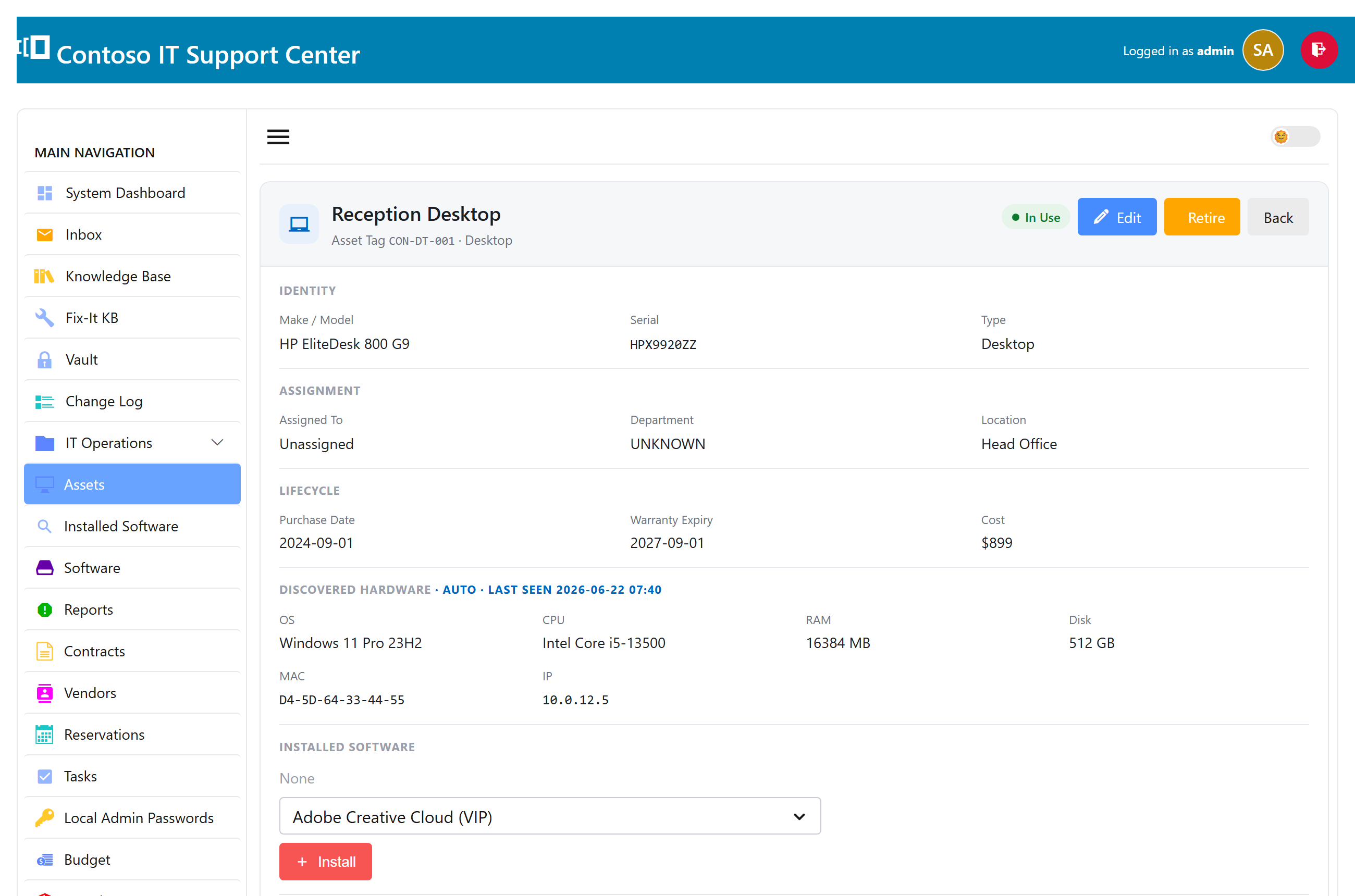
The spec sheet & discovered hardware
Each asset opens as a clean spec sheet: grouped details, a status chip, and warranty dates that turn amber as they approach and red once they’ve passed. If the asset was found by network discovery, its detected hardware and the software installed on it appear here too, with a “last seen” time.
Reservations
Running a loaner pool? Reserve an asset for a person and a date range — handy for shared laptops, projectors, or test devices — so two people don’t grab the same one.