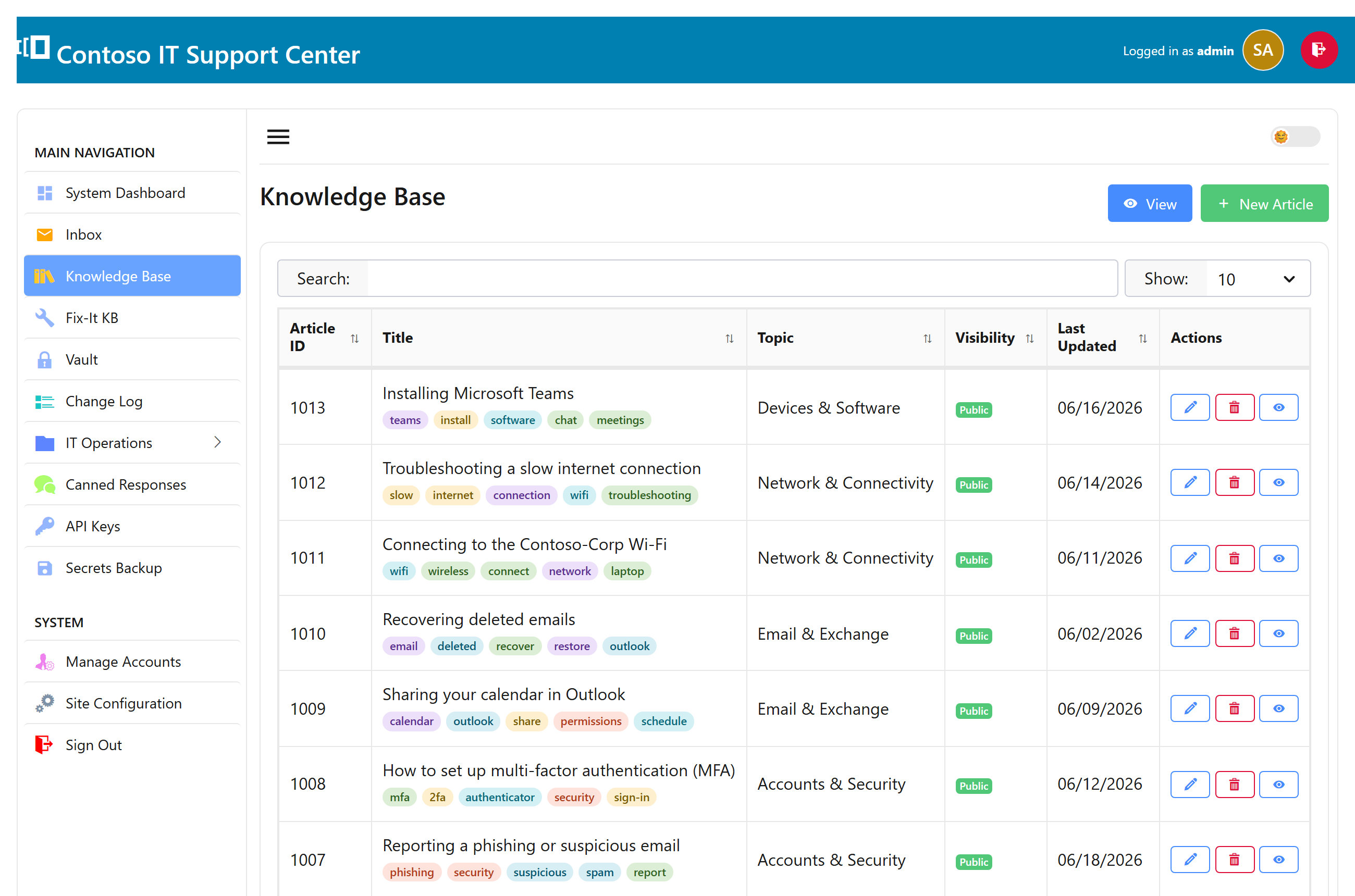
What the knowledge base is
The knowledge base is where you write things down once and reuse them: internal runbooks for your team, self-service how-tos for customers, and short Fix-It articles that walk someone through a common problem. Reps can link an article straight into a ticket reply.
Write an article
- Open the Knowledge base and choose New article.
- Give it a title and write the body — headings, lists, and images are all fine.
- Pick a category and add a few keywords so it’s easy to find.
- Set its visibility (below) and save.
Visibility levels
Each article has a visibility that decides who can see it:
| Level | Who sees it |
|---|---|
| Draft | Nobody yet — a work in progress. |
| Internal | Your staff only. |
| Public | Anyone, on the public knowledge base. |
| Fix-It | Anyone, in the customer-facing Fix-It section. |
Only Public and Fix-It articles appear on the public site; drafts and internal notes stay behind sign-in.
The public portal & Fix-It
Public and Fix-It articles are published on a clean, branded portal your customers can browse without an account — organized by category, with keyword chips to narrow things down. It doubles as SEO-friendly content that helps people find your help before they even open a ticket.
Finding articles
Both staff and customers can search by keyword; the category and keyword chips filter the list further. Because reps can insert an article into a reply, a good knowledge base quietly cuts your ticket volume over time.