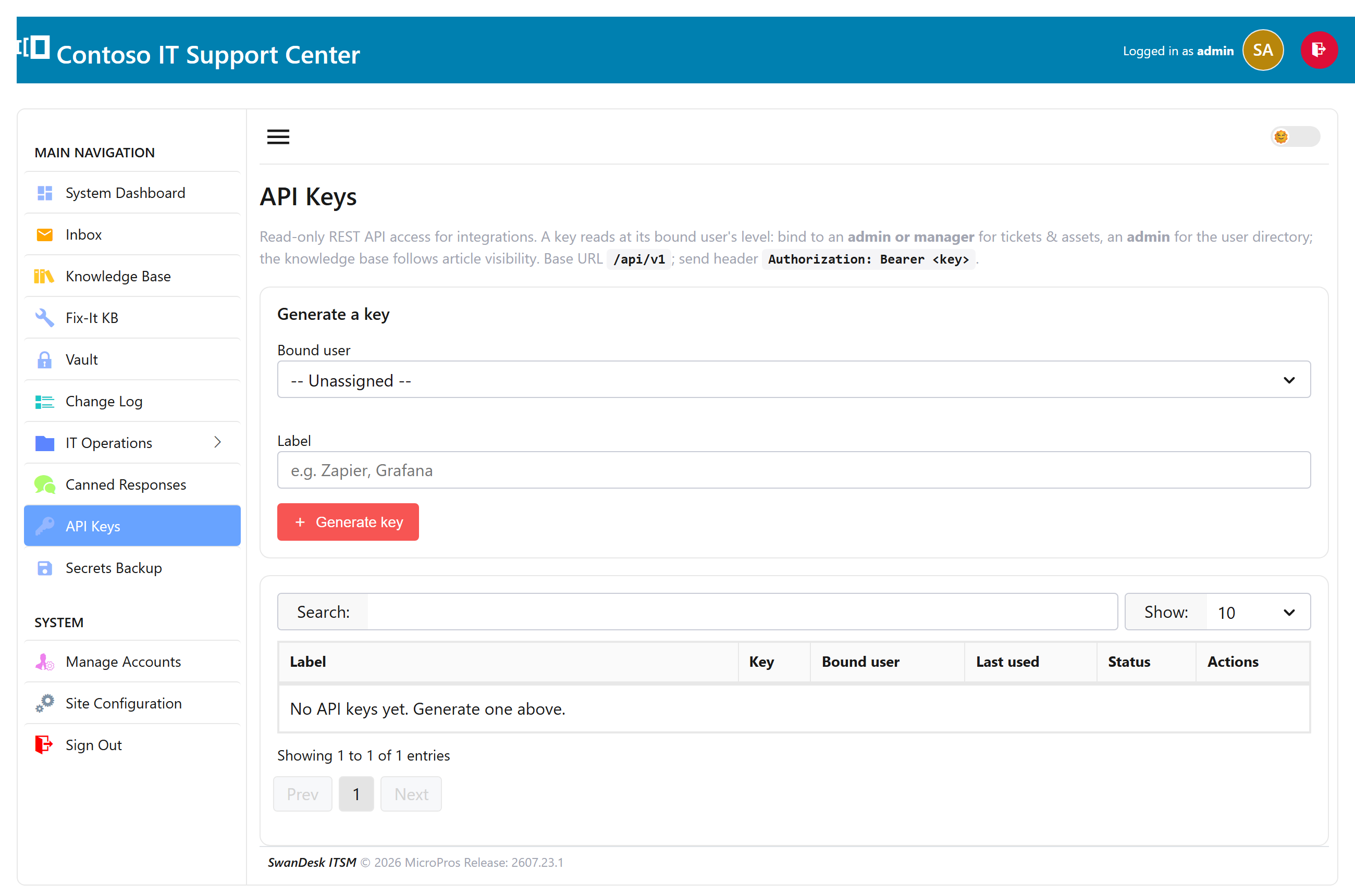
Get an API keyEnterprise
SwanDesk includes a read-only REST API so you can pull your tickets, assets, users, and knowledge-base articles into scripts, dashboards, or other tools. It returns JSON and is available on the Enterprise edition.
- As an administrator, open Settings → API Keys.
- Give the key a label (so you remember what it’s for) and click Generate.
- Copy the token right away — it’s shown only once. A key acts as the user who created it, so an admin’s key can read everything that admin can.
Make a request
Send the token in an Authorization header. The base address is
/api/v1 on your SwanDesk server:
curl -H "Authorization: Bearer YOUR_API_KEY" \
     https://your-server/api/v1/tickets
Endpoints
All endpoints are GET (the API is read-only):
| Endpoint | Returns |
|---|---|
/api/v1/me | Who this key belongs to |
/api/v1/tickets/api/v1/tickets/{id} | Tickets — needs an admin- or manager-level key |
/api/v1/assets/api/v1/assets/{id} | Assets & inventory — needs an admin- or manager-level key |
/api/v1/users/api/v1/users/{id} | People in your directory |
/api/v1/kb/api/v1/kb/{id} | Knowledge-base articles |
Paging, limits & responses
- Paging: add
?page=and?per_page=(up to 100 per page) to any list. List responses include ametablock withpage,per_page, andtotal. - Rate limit: 120 requests per minute per key. Go over and you’ll get
a
429with aRetry-Afterheader. - Read-only: anything other than
GETreturns405.
Responses are JSON. A list looks like this:
{
  "data": [ { "id": 1042, "subject": "Printer offline", "status": "open" } ],
  "meta": { "page": 1, "per_page": 50, "total": 128 }
}
A single item comes back as { "data": { ... } }, and errors as
{ "error": { "code": "…", "message": "…" } }.